
Ever been let down by a tech gadget that promised more than it delivered? Skipping research can leave you with a device that not only fails to work as expected but also ends up costing you extra in repairs and frustration. That tempting deal might hide issues like missing warranties or unseen damage. With so many options available, one misstep can cost you more than just money. This guide highlights common buying mistakes and offers clear tips to help you shop with confidence. A little effort upfront can save you money and spare you future headaches.
Key Tech Buying Mistakes to Avoid
When you buy new tech, every dollar matters. Your choice of computer or accessory can affect your daily work and overall satisfaction. A few wrong moves can lead to setups that don't work well and surprise repair costs later.
- Deals that seem too good to be true might hide missing parts or damage. What looks like a bargain can quickly turn into regret.
- Overlooking the warranty and support means you might end up with a broken device and no help, even within days of purchase.
- Buying used or open-box items without a close look can leave you with a barely working product.
- Choosing gear based only on looks, like bright RGB lights, can mean missing out on comfort and ease of use over time.
- Not checking if the seller is legit can lead to scams and lost money.
- Skipping basic research might mean missing real user reviews and expert test results that reveal the true performance.
- Spending extra on features you rarely use can drain your budget with little benefit.
- Failing to compare prices across stores can make you pay more than necessary.
- Ignoring upgrade options may cause your device to become outdated too quickly.
- Letting limited-time offers and marketing hype rush your decision can lead to an impulse buy that doesn't really fit your needs.
Avoid these mistakes to find tech that works well for you. A bit of research and careful planning can save money and boost satisfaction, making your investment work for you over the long run.
Conducting Thorough Tech Research to Steer Clear of Buying Errors

Before you hit the “Buy” button, take a few minutes to do your homework. Reading both expert and user reviews helps you see beyond flashy promises. Checking specs on trusted sites and in manufacturer data gives you a clear picture of what you’re getting. Price tracking tools can alert you to short-term deals that might hide problems, while user forums often reveal everyday issues that official descriptions miss.
- Decide on the features you need most.
- Visit sites that offer detailed, real-world reviews.
- Compare specs on multiple trusted sources.
- Use price trackers to tell a real discount from a fleeting offer.
- Look at user reports to catch potential long-term issues.
A little extra research now can prevent costly surprises later. By verifying the facts and reading genuine experiences, you can steer clear of hidden costs and warranty gaps. In our tests, devices backed by clear review data and a steady price history delivered better value and lasting satisfaction.
Prioritizing Features and Specifications in Tech Purchases
When shopping for tech, it’s smarter to zero in on tested core performance rather than extra bells and whistles. We run everyday tasks and standard benchmarks that mimic real use. For instance, during continuous video streaming, one midrange phone might outlast a premium 4K model by almost 50%.
We test performance by running simple CPU and memory tasks, checking battery life in real-world scenarios like streaming and browsing, and making sure Wi-Fi and Bluetooth connections stay stable throughout the day.
Our hands-on comparisons have shown that a device with fewer extras can actually give you a longer battery life and smoother multitasking than a flashier option loaded with advanced features.
| Feature Category | Evaluation Focus |
|---|---|
| Core Specs | CPU performance, battery endurance, memory efficiency |
| Supplemental Features | High-res displays, extra sensors, refined aesthetics |
Managing Your Tech Budget to Prevent Spending Blunders

Before you shop, set a firm spending limit to steer clear of overspending on gadgets. Deciding on your budget early helps you focus on what you really need instead of being lured by fancy upgrades or accessories that add hidden fees like subscriptions. This clear cap keeps you on track, ensuring you get a device that delivers true value rather than paying extra for a big brand name.
Break your budget into parts. Reserve funds for the device itself, allocate money for essential add-ons like keyboards or monitors, and set aside a bit for future upgrades that can extend your device’s life without breaking the bank. This simple plan can help you avoid a pile of unnecessary extras.
Watch out for bundling deals and last-minute promotions that try to bump up the total price with costly subscriptions and add-ons. These offers may seem attractive, but they often push you over budget without giving you real benefits. Stick to your plan and choose only what fits your actual needs.
Assessing Product Reviews and Seller Reliability
TL;DR: Fake reviews and unreliable sellers can cost you time and money. Look for genuine feedback and proven seller records to shop smart.
Sometimes, reviews aren't what they seem. You might come across fake or incentivized reviews that hype up a product's good parts while ignoring its downsides. On the same note, sellers with little history may not offer the support or return policies they promise. This blend of misleading reviews and shady sellers can make a purchase a real risk.
To spot genuine feedback, look for comments that don't sound too glossy or generic. Check the review dates and see if profiles show verified purchases instead of anonymous posts. For extra help, you can visit the tips for spotting fake tech reviews at getitreviews.com?p=1068.
It is just as important to evaluate who is selling the product. Take a close look at seller ratings, their history with disputes, and how often they handle returns. A seller who responds well to customer questions usually cares about your satisfaction. By keeping an eye on these details, you can feel more secure about buying a product that truly works and comes from a trustworthy source.
Understanding Warranties and Return Policies Before Purchase

When buying expensive tech, it's important to know the warranty and return policy details. A good warranty fixes problems and gives you extra support if something goes wrong. Most warranties last anywhere from 30 days to two years, and choosing an extended warranty can cost you extra. Knowing this in advance helps you dodge surprise repair bills.
Return policies can be just as tricky. Sometimes you only have about 15 days to return a product, which might not be enough time to notice hidden issues. Plus, some brands charge restocking fees or exclude certain problems like water damage or normal wear and tear, cutting into your refund.
Before you make a purchase, check all the policy details carefully. Compare the warranty period, look out for extra fees on returns, and read about what might not be covered. Resources like the guide to tech product warranty and return policies (https://getitreviews.com?p=933) can give you a clear picture. Taking these steps helps keep your tech investment secure and lets you shop with confidence.
Avoiding Impulsive and Hype‐Driven Tech Purchases
Online tech shopping can be packed with tricks that urge you to buy on impulse. Limited-time deals, countdown timers, flashy launch events, and influencer shout-outs all work to distract you from the real benefits of a product. These tactics may lead you to pay more by adding extra items to your cart without much thought.
Instead of clicking "Buy Now" right away, try a cooling-off period. Add the product to your wish list and wait at least 24 hours. This break gives you time to check product details, compare prices, and decide if the deal matches your actual needs.
It is also wise to focus on genuine feedback. Waiting for detailed user reviews and expert opinions helps you see past the hype and confirm the product’s true performance. This way, you avoid regret and make smarter tech decisions that truly benefit your wallet and lifestyle.
Planning for Future‐Proof Devices and Upgrade Paths
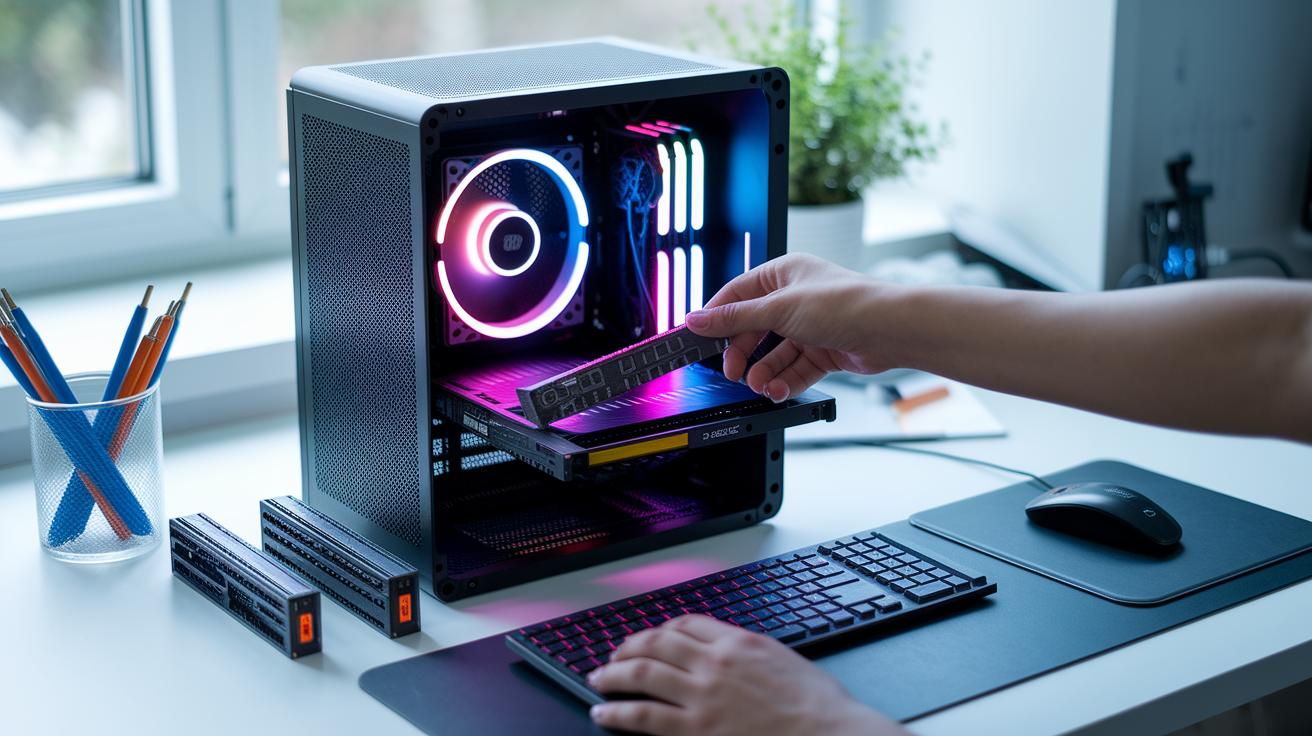
Future-proofing your tech helps you get more life out of your devices and keeps depreciation in check. When you choose gadgets that support upgrades, your equipment stays useful for longer. Look for designs where you can easily replace parts like RAM or storage; these features can really extend the life of your device. Keeping an eye on a product's ability to adapt to new standards means you won't have to buy a replacement too soon.
Check for signs that a device is built to last. Look for extra expansion slots, a variety of ports, and a history of solid software updates. If you can replace components like SSDs and RAM yourself, that's a big plus. Also, see if the device has clear plans for firmware and operating system updates, which show the maker’s commitment to keeping your tech current. Support for new standards like Wi-Fi 6E and USB-C PD is another good indicator that the device will handle future connectivity needs.
Don't be afraid to ask manufacturers and sellers about their update plans. Ask if the device is ready for future operating system updates, how often they plan to release firmware improvements, and what upgrade options you have down the road. Their answers can help you decide if the device is a good fit for your long-term tech needs.
Final Words
In the action, we mapped out common tech buying mistakes to avoid. We covered unrealistic discounts, skipped warranty checks, rushed used purchases, and even falling for flashy designs. We looked at the hidden costs, overlooked upgrade paths, and unvalidated seller reviews. Small, practical steps like proper research and using price trackers can prevent these issues. Avoiding tech buying mistakes to avoid means saving money and frustration while boosting long-term satisfaction. Stay smart and keep these tips in mind when planning your next purchase.
FAQ
What should you avoid when using technology?
When using technology, avoid overlooking warranty details, blindly trusting unrealistic discounts, and falling for hype that leads to impulsive purchases. These pitfalls can cost you money and cause frustrating tech challenges.
What items should you not buy used?
When buying used tech, avoid open-box items or devices without proper inspection and warranty. These products might carry hidden damage or lack support, risking poor performance and repair issues.
What should I look out for when buying a laptop?
When buying a laptop, look out for essential specs like processing power, battery life, warranty coverage, and seller credibility. Checking product reviews and detailed specs ensures you make an informed, practical purchase.
What is the no-buy trend?
The no-buy trend focuses on resisting impulse purchases by emphasizing thorough research, price comparisons, and deliberate waiting periods. This approach helps you avoid overspending and ensures your tech meets real needs.